
 By StingFellows
Data loss – whether caused by accidental deletion, formatting, system errors, or any other unforeseen reason – can be distressing. Fortunately, several data recovery methods are available to help you recover youlost data in Windows device. If you have a proper backup of deleted files, data recovery is quite straightforward. However, without backups, third-party free data recovery software tools can be an effective option for retrieving lost files.
In addition to paid options, there are several free data recovery tools that you can use to restore deleted files at no cost. In this guide, we explore the top 5 free data recovery software tools that you can rely on in 2026, ranging from easy-to-use programs for beginners to powerful open-source utilities for experienced users. Before choosing a tool, it’s important to compare its features and limitations to find the one that best suits your needs. Let’s get started!
Top 05 Best Free Data Recovery Tools as Rated by Users
When you find any file missing from your computer, it’s important to immediately proceed with adequate recovery. Here are some popular, free data recovery software tools that you can try to get your deleted files back without any cost. Whether you are a beginner or a technical user, these tools offer effective recovery solutions without cost. Let’s take a closer look at these options:
1. Stellar Data Recovery Free
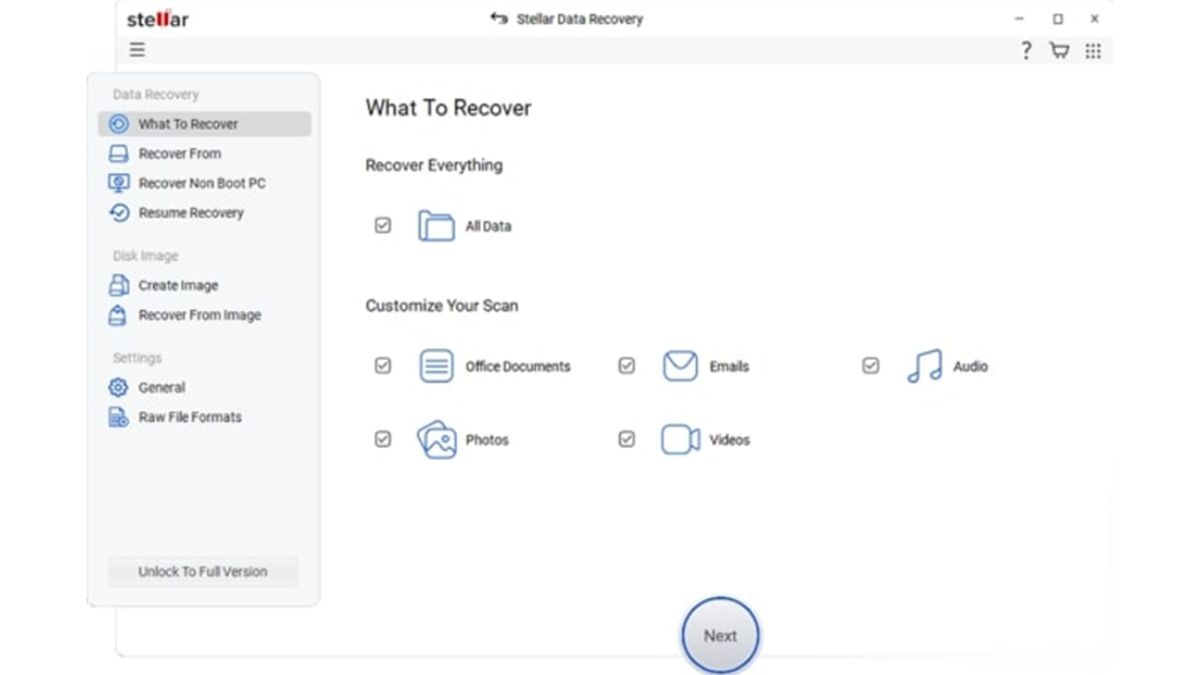
When it comes to data recovery, Stellar always tops the list with its amazing data recovery features. Stellar Data Recovery Free is powerful, free data recovery software that can help you restore files lost or deleted due to several reasons, including accidental deletion, formatting, system errors, etc. It supports a wide range of file types, including documents, photos, videos, etc. The software also offers a clean, guided interface that suits beginners in easy and quick data recovery.
Pros:
- Supports recovery from various internal and external storage devices, including hard drives, SSDs, USB drives, and memory cards.
- The Stellar Data Recovery Free software lets you preview the recoverable files before saving them on your device.
- The free version works well for recovering small amounts of deleted photos, documents, and videos safely.
- It performs both Quick scan (to restore recently deleted files) and deep scan (to recover data lost due to formatting and other complex reasons).
Cons:
- The free version somehow offers a limited file recovery size, i.e., up to 1 GB, which may not be sufficient for large data loss situations.
- Deep scan process can be time-consuming, especially on large or heavily fragmented storage drive systems.
- To enjoy advanced recovery features and unlimited data restoration, you need to use the paid premium versions.
2. EaseUS Data Recovery Wizard Free
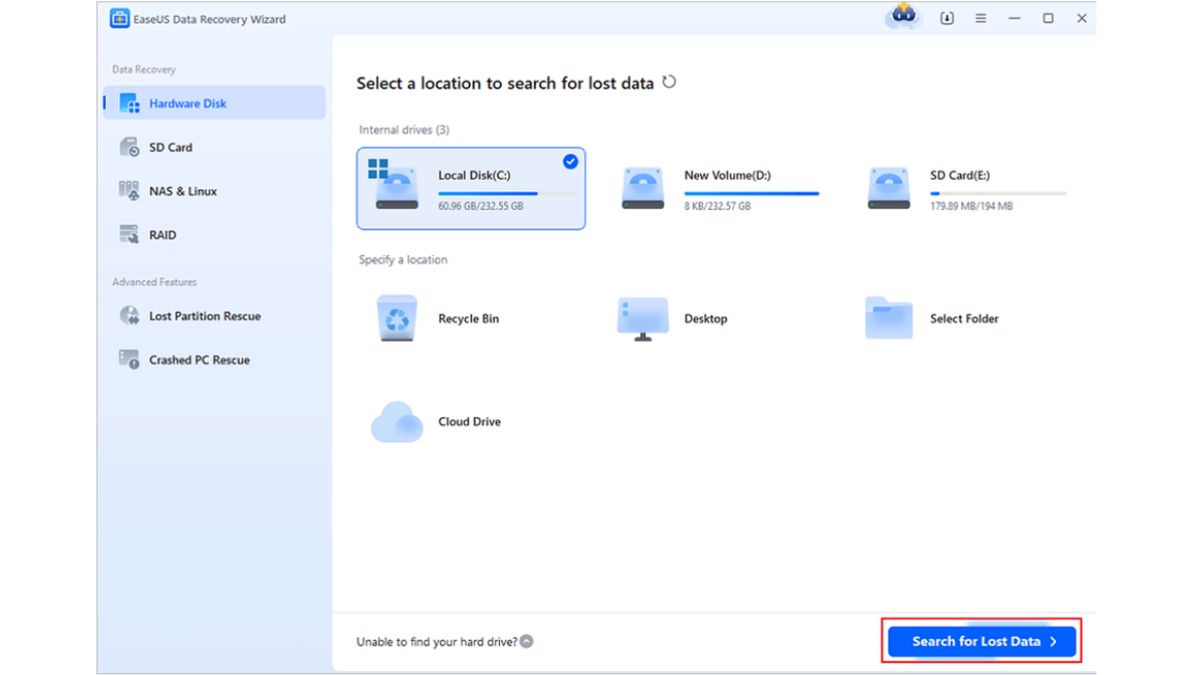
EaseUS Data Recovery Wizard Free is a widely used free data recovery software, mainly known for its simplicity and reliable performance. The software allows you to restore files deleted due to several reasons, including accidental deletion, formatting, system crashes, and virus attacks. Its intuitive interface and step-by-step recovery process make it suitable for beginners. This all-in-one data recovery software is compatible with both Windows and macOS devices.
Pros:
- A simple and intuitive interface allows even beginners without technical knowledge or professional assistance to easily restore deleted files.
- Supports recovery of files deleted from different devices, including hard drives, HDDs, SSDs, and memory cards.
- Offers a preview option to verify recoverable files before restoring them to avoid unnecessary recovery.
Cons:
- The free version may fail to restore files of larger size; you need to upgrade to the premium options.
- Upgrade prompts frequently appear during scans, which may interrupt user experience and workflow.
- Deep scan can take a long time on large or heavily corrupted storage drives.
- Lacks advanced features like creating bootable recovery media, lost partition recovery, RAID support, etc.
3. Recuva
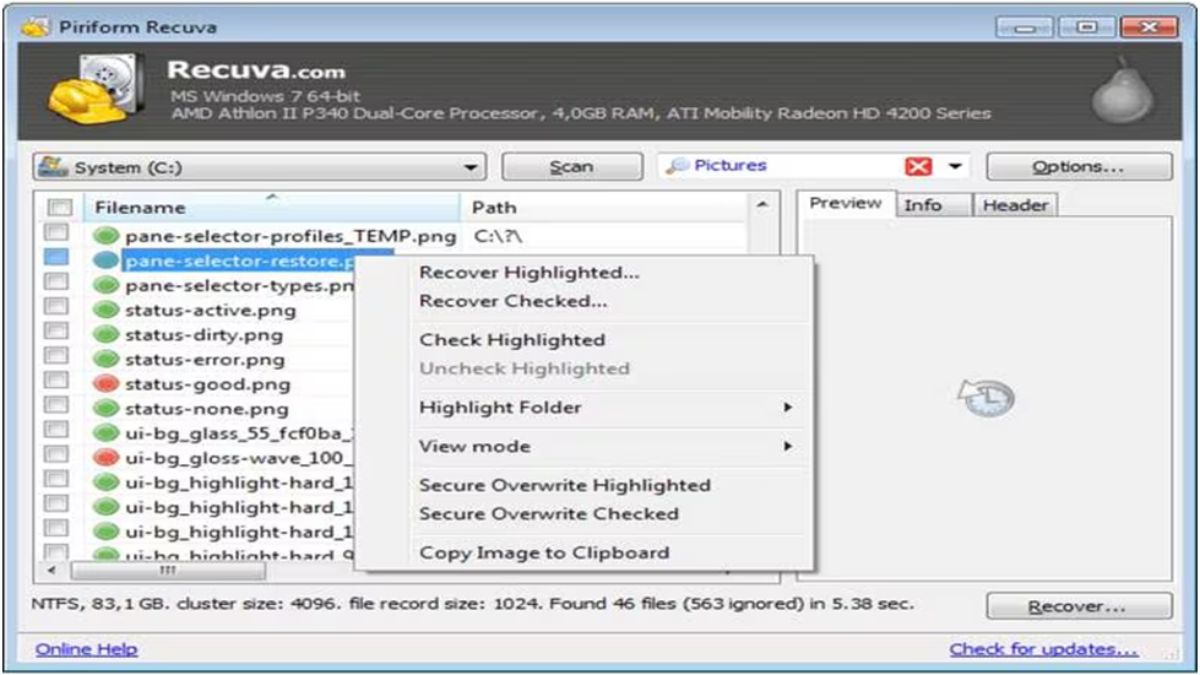
Recuva from Piriform has been a long-standing favourite for free recovery on Windows. This lightweight and reliable data recovery software is widely known for offering unlimited file recovery in its free version, making it a popular choice for basic recovery needs. The wizard-based, user-friendly interface simplifies the data recovery process, making this free data recovery software ideal for beginners. The software offers a secure overwrite feature to permanently erase sensitive files, preventing future recovery attempts by others.
Pros:
- The completely free version allows unlimited file recovery without size restrictions for Windows users worldwide.
- The software is easy to install and quickly scans recently deleted files without consuming heavy system resources.
- The recovery process is easy and feasible even for beginners and non-technical users.
Cons:
- This software is available only for Windows OS, which limits usability for macOS and Linux users.
- Deep scan performance is weaker compared to modern tools for heavily corrupted storage device scenarios.
- User interface feels outdated and lacks advanced filtering options, which makes it complex for beginners to restore deleted files.
4. Disk Drill (Free Edition)
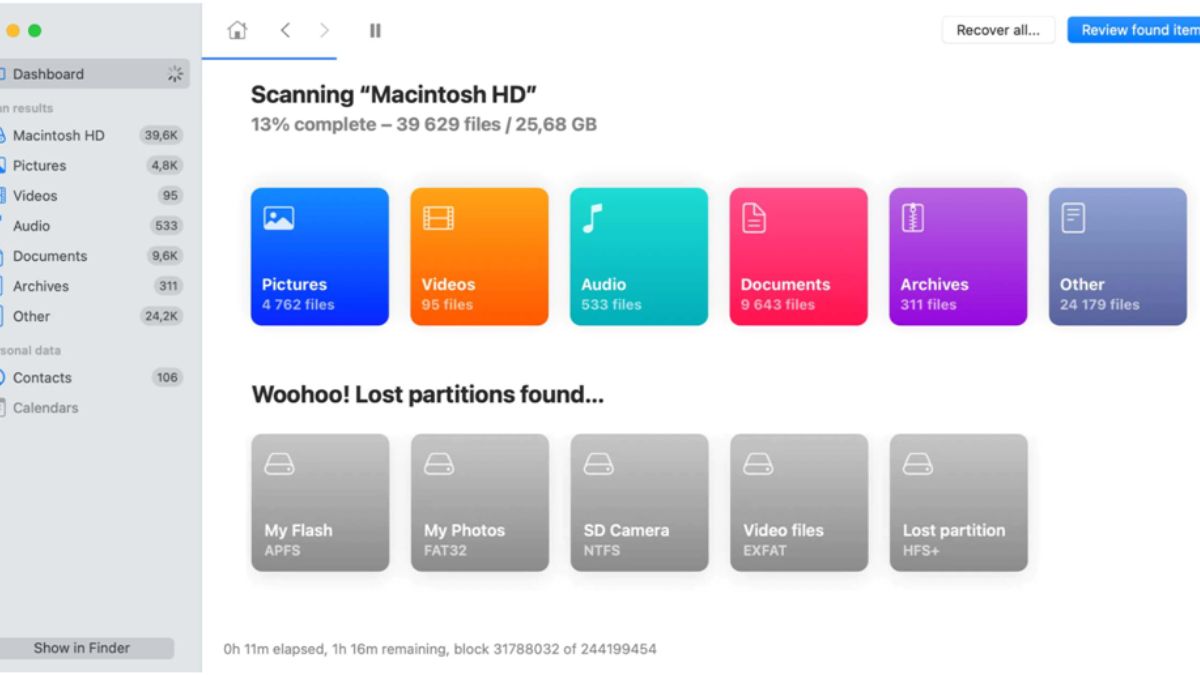
Disk Drill by CleverFiles is a polished recovery tool that combines ease of use with solid recovery performance. Available for both Windows and macOS, the software allows you to recover files deleted from different storage devices such as hard drives, SSDs, USB flash drives, and more. The software offers intuitive scanning options, including quick and deep scans, along with a preview feature to confirm recoverable files before restoring them. While the free limit is small, its simple interface and quick recovery process make it a strong choice for basic data recovery needs.
Pros:
- Intuitive interface makes navigating recovery options simple for users without advanced technical knowledge.
- Quick and deep scan modes improve the chances of recovering recently deleted and lost files successfully.
- It also allows you to preview the recoverable files before recovery, minimising unnecessary data restoration attempts.
Cons:
- Deep scan process can be time-consuming on large drives, especially with heavily fragmented storage devices.
- Most advanced features, like complete partition recovery, require upgrading to a paid subscription only.
5. WondershareRecoverit
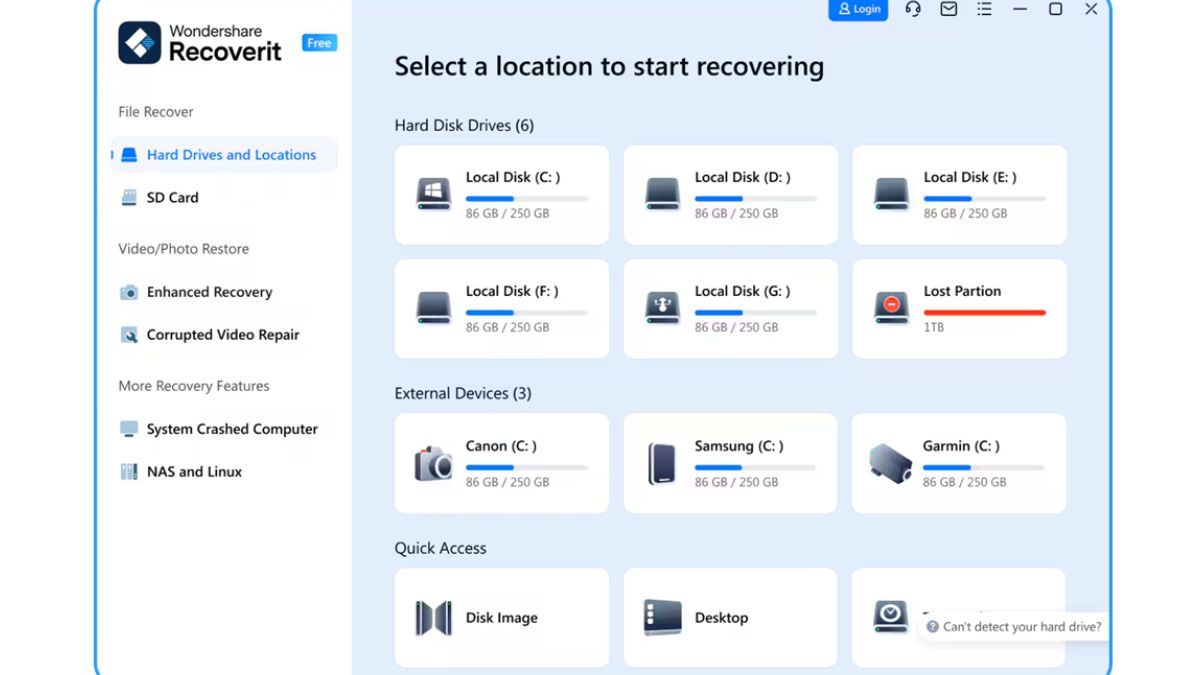
Recoverit by Wondershare is a powerful data recovery tool designed to retrieve lost, deleted, or inaccessible files from hard drives, SSDs, memory cards, and even crashed systems. This free data recovery software allows you to restore files deleted due to accidental deletion, formatting, system failures, and many other reasons. While the free version has limitations on the amount of data you can restore, its wide format support and reliable scan performance make it a perfect choice for your hassle-free data recovery.
Pros:
- Compatible with both Windows and macOS devices, which makes it suitable for users across major desktop platforms.
- Intuitive interface provides step-by-step guidance for straightforward data recovery processes.
- Allows file preview before recovery, ensuring users restore the correct data sets.
Cons:
- Deep scanning can be slow, and recovery of data from large or heavily corrupted storage devices and drives is time-consuming.
- Advanced tools like system crash recovery are available only in paid versions exclusively.
- Frequent upgrade prompts may interrupt workflow and push users toward purchasing premium.
Wrapping Up
By 2026, free data recovery tools have become surprisingly powerful. There are multiple options available online that you can use to restore your deleted data without any cost. Whether your files are lost due to accidental deletion, lost partitions, or corrupted drives, these options will definitely help you get your deleted files back. Carefully check the features of these tools before making your decision. Start with a scan, preview results, and recover what you can for free — and if you need more advanced capabilities later, these tools often have seamless upgrades available.